


AI Photo Restore With Music
4.618.00 Reviews
App Specs
- Version
- 2.5.0
- Updated On
- License
- Free
- Downloads
- 1,000,000+
- Developer
- ATQ - AI Lab
- Categories
- Photography
- Platform
- Android
Screenshots


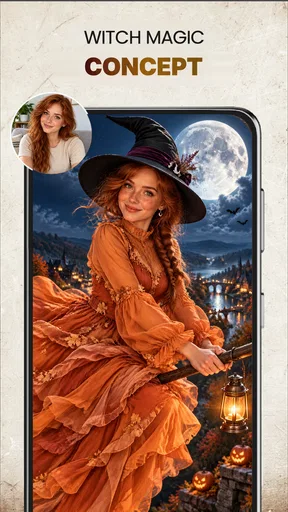




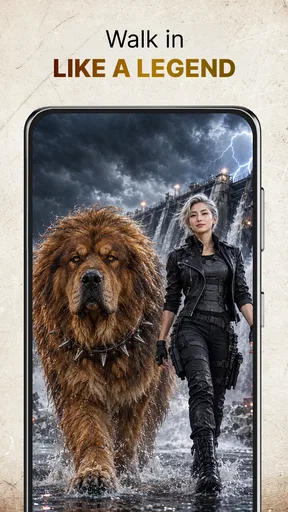
 Analysis by AppCompare
Ever stumbled upon an old photo that just isn't what it used to be? You know, those cherished memories that have faded or gotten a bit damaged over time? Well, that's where AI Photo Restore With Music comes into play. Trust me, if you love preserving your memories and adding a little flair to them, you're gonna want to check this out.
Reviving Memories with a Touch of AI
So, what's this app all about? At its core, AI Photo Restore With Music is designed to bring your old photos back to life. The app uses some pretty impressive AI technology to restore images that have seen better days. We're talking about fixing those annoying scratches, enhancing faded colors, and even sharpening blurry parts. It's like having a digital photo restorer right in your pocket.
And here's the kicker—the app doesn't just stop at photo restoration. It also lets you add music to your images. Imagine turning a still photo into a mini music video! It's like giving your memories a whole new dimension. Now, that's what I call a creative twist.
User-Friendly Experience
Alright, let's talk about the user experience. The app is super intuitive. I mean, you don't need to be a tech wizard to figure it out. Once you download and open it, you're greeted with a clean interface that's easy to navigate. All you have to do is upload a photo, and the app does all the heavy lifting.
There's a neat little slider that lets you adjust the intensity of the restoration, so you can get the look just right. And adding music? Piece of cake. Just pick a track from the app’s library or upload your own. Voila! Your photo is now a music-infused masterpiece.
Why You Might Love It
If you're someone who loves to share memories on social media, this app is a game-changer. Imagine posting a restored photo with a catchy tune playing in the background. Your followers are gonna love it! Plus, it’s a great way to show off your creativity and keep those memories alive.
Another thing to highlight is how this app could be a fantastic tool for family gatherings. Picture this: a slideshow of restored family photos playing with some nostalgic tunes. It’s bound to be a hit and might even bring a tear or two to the eyes of your relatives.
Worth Reading Before You Choose

Flipboard Shows What News Apps Must Do Beyond the Feed

Switching to Android Auto Means Rethinking Your Driving Routine

Google Calendar Makes a Crowded Week Easier to Manage

Ludo King Makes the Most of the Minutes Between Plans

Baby Panda World Brings Quick Play to Modern Phones, but Its Game Library Feels Busy

ESPN’s Live Game View Makes Following Close Games Easier
A Few Things to Keep in Mind
Now, while the app is pretty awesome, it’s worth noting that the quality of the restoration can vary depending on the original condition of the photo. Some super damaged photos might not come out perfect, but hey, it’s still a huge improvement over what you started with.
Also, the music feature is fun, but it might take a bit of playing around to match the perfect tune with your image. But when you get it right, it’s totally worth it.
Final Thoughts
All in all, AI Photo Restore With Music is a fantastic tool for anyone looking to breathe new life into their old photos. Whether you’re a nostalgia buff or just someone who enjoys a creative project, this app is definitely worth checking out. Plus, with the added music feature, it’s not just about restoring memories—it’s about enhancing them with a personal touch.
So, if you’ve got a bunch of old photos lying around and a playlist just waiting to be paired with them, give this app a whirl. You might just find it to be the perfect blend of technology and creativity.
Pros
- Intuitive interface for easy navigation.
- High-quality photo restoration results.
- Includes music to enhance the experience.
- Quick processing with minimal lag.
- Frequent updates with new features.
Cons
- Limited free features; premium required.
- Occasional ads can be intrusive.
- Music options are somewhat limited.
- Requires internet for full functionality.
- Some tools need more precision.
FAQs for AI Photo Restore With Music
What is AI Photo Restore With Music and how does it work?
AI Photo Restore With Music is an innovative app designed to breathe new life into old or damaged photos using advanced AI technology. It automatically restores clarity, color, and detail to your images. Additionally, the app allows you to create personalized slideshows with your restored photos, set to music of your choice, making it ideal for sharing memorable moments.
Is AI Photo Restore With Music available for both Android and iOS?
Yes, AI Photo Restore With Music is available for download on both Android and iOS platforms. Users can find the app on the Google Play Store for Android devices and the Apple App Store for iOS devices, ensuring a seamless experience across different operating systems.
Does AI Photo Restore With Music support different photo formats?
AI Photo Restore With Music supports a wide range of photo formats, including JPEG, PNG, and TIFF. This ensures compatibility with most image files you might have stored on your devices, allowing for easy restoration and enhancement of all your cherished memories.
Can I customize the music in my photo slideshows?
Absolutely! AI Photo Restore With Music offers a variety of customization options for your slideshows. Users can choose from a library of pre-loaded music tracks or upload their own music files to accompany the restored photos. This feature allows you to create truly personalized and emotive presentations.
Are there any in-app purchases or subscription fees?
AI Photo Restore With Music offers a free version with basic features, but it also provides additional premium options through in-app purchases. These may include advanced restoration tools, higher resolution outputs, and additional music tracks. Users can choose to upgrade for a one-time fee or opt for a subscription model to access all features.


